How to Build a Bilingual Arabic and English Website
In this article
- Why build a bilingual Arabic and English website?
- How should you structure the URLs for two languages?
- How does right-to-left (RTL) layout work?
- Which fonts work for Arabic and English together?
- How do you set up SEO for both languages?
- What about forms, numbers and dates?
- Should you translate or write the Arabic content from scratch?
- How long does a bilingual website take, and what does it cost?
- Common mistakes on Arabic and English websites
- Frequently asked questions
- The bottom line
A bilingual Arabic English website is not one site with a translate button. It is two language versions of the same site, where the Arabic version reads right to left, the layout mirrors, and each version has its own address that search engines can find. Done well, visitors in the Gulf can switch languages and feel at home in both.
This guide covers the decisions that matter, in the order you will meet them: how to structure the URLs, how right-to-left layout works, fonts, search engine setup, forms and content. It is written for business owners and marketing teams planning a site, and for the people briefing a web team.
Why build a bilingual Arabic and English website?
Many businesses in the UAE, Saudi Arabia, Qatar and the wider Gulf serve customers who search and buy in both Arabic and English. A bilingual site lets each visitor use the language they are most comfortable with, and it gives you a page in each language that can rank for searches in that language.
Google says it "tries to find pages that match the language of the searcher". An English-only site is invisible to someone searching in Arabic, however good it is.
How should you structure the URLs for two languages?
Give each language its own URL. Google recommends "using different URLs for each language version of a page rather than using cookies or browser settings" to switch the language.
| Option | Example | Good for |
|---|---|---|
| Subdirectory | example.com/ar/ | Most businesses: one domain, one host, simple to run |
| Subdomain | ar.example.com | Teams that need the versions hosted or managed separately |
| Separate domain | example.ae and example.com | Large brands with a separate local business per country |
For most small and mid-sized businesses, a subdirectory such as /ar/ is the simplest choice. Google lists its pros as easy to set up and "low maintenance (same host)".
Two rules apply whichever option you choose:
- Keep one language per page. Google advises "using a single language for content and navigation on each page, and … avoiding side-by-side translations". A page with English and Arabic paragraphs mixed together is harder for both readers and search engines.
- Let visitors choose, do not force them. Google says to "avoid automatically redirecting users from one language version of a site to a different language version". Show a clear language switcher in the header instead, and remember the visitor's choice.
How does right-to-left (RTL) layout work?
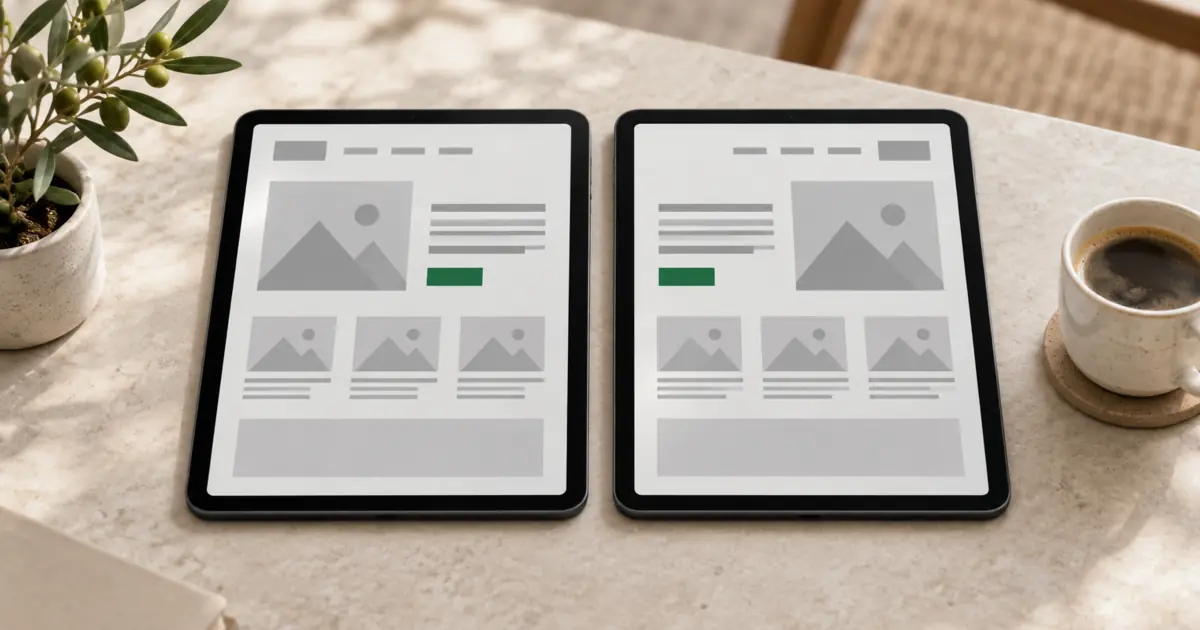
Arabic reads right to left, so the whole interface mirrors: the logo moves to the right, the menu runs from right to left, and text aligns to the right. The browser does most of this for you once the page declares its direction.
Set the language and direction in the HTML
The W3C, which writes web standards, says to "always use a language attribute on the html tag" to declare the page's language. For Arabic pages, add the direction as well:
<html lang="ar" dir="rtl">The W3C explains that the dir attribute "is essential to support languages that use right-to-left scripts such as … Arabic", and that setting it on the html tag sets the base direction for the whole document.
Use logical CSS, not left and right
The same W3C article gives a clear rule: "Never use CSS to apply the base direction. But do use logical ('end' and 'start') on properties or values related to margins, padding, alignment, etc." Logical properties, as MDN puts it, control layout "through logical rather than physical direction".
| Physical (avoid) | Logical (use) |
|---|---|
margin-left | margin-inline-start |
padding-right | padding-inline-end |
text-align: left | text-align: start |
left: 0 | inset-inline-start: 0 |
With logical CSS, one stylesheet serves both languages. The English page lays out left to right, the Arabic page right to left, and you do not maintain two designs.
What should and should not mirror?
| Mirror in Arabic | Keep as it is |
|---|---|
| Navigation order and menu alignment | Logos and brand marks |
| Back and next arrows, chevrons, sliders | Media controls such as play and pause |
| Breadcrumbs and step indicators | Phone numbers, prices and product codes |
| Form labels and input alignment | Photos, unless they show text or a direction that matters |
| Icons that point to a direction | Charts with a time axis, unless the data is re-labelled |
Test every component in both directions. Carousels, dropdowns, progress bars and side drawers are where RTL bugs usually hide.
Handle mixed text
Arabic pages often contain English brand names, email addresses or numbers. For text that comes from users or a database, the W3C recommends dir="auto" or the bdi element, which "directionally isolates the element's text" so it displays correctly whichever way it runs.
Which fonts work for Arabic and English together?
Choose an Arabic typeface and a Latin typeface that share a similar weight, height and feel, so the brand looks the same in both languages. Some type families include both scripts, which makes this easier.
A few practical checks:
- Size and line height: Arabic letters often need a slightly larger size and more line height than Latin text at the same setting to read comfortably.
- Weights: make sure the Arabic font has the weights your design uses, such as regular and bold.
- Licensing: confirm the font licence covers web use for both scripts.
- Speed: load only the weights you need, because Arabic font files can be large.
How do you set up SEO for both languages?
Treat each language version as its own set of pages, then tell Google they belong together.
- Add hreflang tags that link the English and Arabic version of each page. Google's rule is that "each language version must list itself as well as all other language versions".
- Make the links two-way. Google lists missing return links as a common mistake: "If page X links to page Y, page Y must link back to page X."
- Add an x-default for visitors whose language you do not serve, usually pointing to your English home page or a language selector.
- Write titles and descriptions in each language. Do not leave English meta titles on Arabic pages.
- Research keywords in Arabic separately. People do not always search with a direct translation of the English phrase, and spellings vary.
- Translate the slugs or keep them simple. Short English slugs under
/ar/are fine; what matters most is that the page content is fully in Arabic.
Note that hreflang helps Google connect the versions, but it does not decide the language. Google says it "doesn't use hreflang or the HTML lang attribute to detect the language of a page"; it reads the content. That is one more reason to translate everything, not only the menu.
What about forms, numbers and dates?
Forms are where bilingual sites most often break, so check them carefully:
- Phone and email fields should stay left to right even on Arabic pages, because the content itself is Latin characters and digits.
- Error messages need translating too, including those set by plugins or form tools.
- Dates and times should follow the format your Arabic-speaking customers expect, and be written out clearly to avoid confusion between day and month.
- Numbers: decide whether to use Western digits (1, 2, 3) or Eastern Arabic digits on Arabic pages, and use the same choice everywhere.
- Confirmation emails and automated replies should arrive in the language the visitor used.
Should you translate or write the Arabic content from scratch?
Have a native Arabic speaker write or at least review every page. Machine translation is a useful first draft, but it often misses tone, industry terms and the difference between formal and everyday Arabic. Visitors notice quickly when a site was translated by a tool.
The best results come from transcreation: adapting the message, not translating word for word. A headline that works in English may need a different angle in Arabic. Plan time for this in the project, and agree who approves the Arabic copy before launch.
How long does a bilingual website take, and what does it cost?
A bilingual site takes longer than a single-language one, because every page, form, email and image with text exists twice and the RTL layout needs its own testing. Plan for copywriting and review time in both languages, not only design and build.
Costs depend on the number of pages, features and who provides the Arabic copy. Our guide to how much a website costs explains what drives the price, and our pricing page shows how we quote.
Common mistakes on Arabic and English websites
- Flipping the layout with CSS hacks instead of setting
dir="rtl"in the HTML. - Using left and right in the stylesheet, which leaves gaps and misaligned icons on the Arabic side.
- Mirroring everything, including logos, phone numbers and play buttons.
- Automatic language redirects that stop visitors and search engines reaching the other version.
- No hreflang, or one-way hreflang, so Google shows the wrong language in results.
- Machine-translated Arabic with no native review.
- Testing only on desktop. Most visitors arrive on a phone, so test the Arabic version on mobile first.
Frequently asked questions
Should Arabic and English be on the same page?
No. Give each language its own page and URL. Google advises one language per page and avoiding side-by-side translations, and visitors find a single-language page easier to read.
Do I need two separate websites for Arabic and English?
Usually not. One website with an /ar/ section and a shared design system is easier to run. Logical CSS lets the same components lay out correctly in both directions.
What is dir="rtl"?
It is an HTML attribute that tells the browser the text runs right to left. Set it on the html tag of Arabic pages, together with lang="ar", and the browser mirrors text alignment and layout direction.
Which language should be the default?
Choose the language most of your customers use, and make the other one easy to reach from every page. Use hreflang's x-default to show which version visitors with other languages should see.
Can I use machine translation for the Arabic version?
As a first draft, yes, but have a native speaker review and adapt it before launch. Poor Arabic undermines trust, especially on pages that ask visitors to book, buy or share their details.
The bottom line
A good bilingual Arabic and English website comes from a few sound decisions made early: a separate URL for each language, lang and dir="rtl" on the Arabic pages, logical CSS so one design mirrors cleanly, matched fonts, two-way hreflang, and Arabic copy written or reviewed by a native speaker.
Organoo designs and builds bilingual websites for businesses in the Middle East, with right-to-left layouts and SEO set up for both languages. See our UI/UX design and website development services, read how to work with a remote web design agency, or tell us about your project. Custom quotes and small budgets are welcome.