What Is UI/UX Design, and Why Does It Affect Sales?
In this article
- What is UX design?
- What is UI design?
- What is the difference between UI and UX?
- Why does UI/UX design affect sales?
- What makes a design usable?
- What does a UI/UX design process look like?
- Signs your website has a UI/UX problem
- Do you need a UI/UX designer for a small business website?
- Frequently asked questions
- The bottom line
What is UI/UX design? In plain English, UI design is how a website or app looks and responds on screen, and UX design is how easy and pleasant the whole experience is, from the first visit to getting what you came for. UI is the interface; UX is the experience around it. Both decide whether a visitor becomes a customer or quietly leaves.
This guide explains the difference between UI and UX, what designers actually do in each, what a typical UX process looks like, and how to tell whether your own website has a UX problem that is costing you sales.
What is UX design?
UX stands for user experience. The Nielsen Norman Group, one of the best-known research firms in the field, defines it this way: "'User experience' encompasses all aspects of the end-user's interaction with the company, its services, and its products."
That is broader than a screen. It includes whether the website answers the visitor's question, whether the booking form works on a phone, how fast the page loads, and what happens after they press "Send". The same source puts the goal simply: "The first requirement for an exemplary user experience is to meet the exact needs of the customer, without fuss or bother."
A UX designer's work usually covers:
- Research: who the users are, what they need and where they get stuck.
- Structure: which pages exist, what goes on each and how they connect (information architecture).
- User flows: the steps someone takes to book, buy or get in touch.
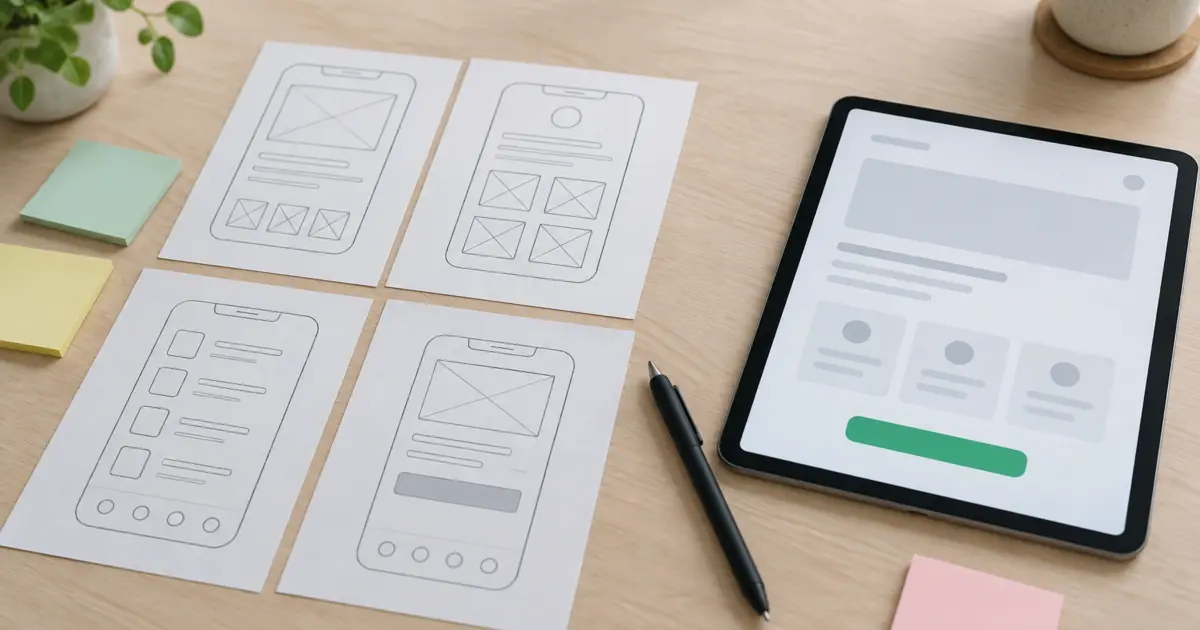
- Wireframes: simple layouts that test the structure before any visual design.
- Testing: watching real people use the design and fixing what trips them up.
What is UI design?
UI stands for user interface: the part people see and touch. UI design covers layout, typography, colour, buttons, icons, forms, spacing and the small animations that show something is happening.
Good UI makes the next step obvious. A visitor should know what the page offers, what they can do and where to click without having to think about it. It also gives a brand a consistent look, so every page feels like it comes from the same company.
A UI designer's work usually covers:
- Visual design of each screen, based on the wireframes.
- A design system: reusable components such as buttons, cards and form fields, with rules for how they behave.
- States: what a button looks like when pressed, a field when it has an error, a page while it loads.
- Responsive layouts for phones, tablets and desktops.
- Prototypes that can be clicked through before anything is built.
What is the difference between UI and UX?
UX is the whole experience; UI is the part of it that lives on screen. Nielsen Norman Group stresses that "it's important to distinguish the total user experience from the user interface (UI), even though the UI is obviously an extremely important part of the design."
| UX design | UI design | |
|---|---|---|
| Main question | Does this solve the visitor's problem easily? | Is it clear, consistent and pleasant to use? |
| Focus | Needs, structure, flows, content | Layout, type, colour, components |
| Typical outputs | Research notes, sitemaps, user flows, wireframes | Mockups, design system, clickable prototypes |
| A failure looks like | The visitor cannot find pricing or the form asks for too much | The button is hard to spot or the text is hard to read |
A simple example: on a restaurant website, UX decides that the menu, opening hours and booking button belong at the top of the home page on mobile. UI decides how that button looks so that people see it and tap it.
The two overlap so much that most small and mid-sized projects use one designer or one team for both, which is why the job is often called "UI/UX design".
Why does UI/UX design affect sales?
Because visitors who struggle do not complain, they leave. Nielsen Norman Group puts it bluntly: "On the Web, usability is a necessary condition for survival. If a website is difficult to use, people leave." The same article adds that if the home page fails to clearly state what a company offers, or if users get lost, they leave too.
Good UI/UX helps sales in a few direct ways:
- Clear offers. Visitors understand what you sell and who it is for within seconds.
- Fewer steps. A shorter form or checkout means fewer people give up halfway.
- Trust. A consistent, well-made interface makes a business look credible, which matters when you ask for a card number or contact details.
- Better ad results. When paid traffic lands on a page that is easy to use, more of those clicks turn into leads, so the same ad budget goes further.
- Fewer support questions. If the site answers common questions, your team spends less time answering them by email.
Speed is part of UX, and Google measures it
How quickly a page loads and responds is part of the experience. Google's Core Web Vitals give clear targets: to provide a good user experience, Largest Contentful Paint "should occur within 2.5 seconds", pages "should have a INP of 200 milliseconds or less", and layout shift should stay at "0.1. or less".
Google also says its "core ranking systems look to reward content that provides a good page experience". So a fast, easy site helps both the visitors you have and the ones still searching.
Accessibility is part of UX too
A website that some people cannot use is a website that loses those customers. The W3C explains that "when websites and web tools are properly designed and coded, people with disabilities can use them", and that making the web accessible "benefits individuals, businesses, and society". Good contrast, readable text, clear labels and keyboard-friendly forms help everyone, not only people with disabilities.
What makes a design usable?
Nielsen Norman Group defines usability by five quality components. They make a useful checklist for any page:
| Component | The question to ask |
|---|---|
| Learnability | Can a first-time visitor do the basic tasks easily? |
| Efficiency | Once they know the site, can they do things quickly? |
| Memorability | When they come back later, can they find their way again? |
| Errors | How many mistakes do they make, and can they recover easily? |
| Satisfaction | Is it pleasant to use? |
What does a UI/UX design process look like?
Most projects follow the same broad steps, scaled to the size of the job:
- Discovery. Agree the business goal, the audience and what the site or app must help them do. Talk to the people who hear customer questions every day, such as sales and support staff.
- Research. Review the current site, analytics and competitors, and where possible talk to or watch real users.
- Structure. Plan the pages and the main user flows, such as "find a service and book a call".
- Wireframes. Lay out each key page in simple grey boxes to agree on content and priority before visual design.
- Visual design. Apply the brand to create the UI: type, colour, imagery and components.
- Prototype and test. Click through the design with real users, then fix what confuses them.
- Handoff and build. Developers build from the design system, and the designer checks the result.
- Measure and improve. After launch, watch analytics and feedback, and keep refining.
Nielsen Norman Group recommends that teams improving an existing system "do qualitative (think-aloud) usability testing": you ask people to use the site while saying what they think, and you learn quickly where they hesitate.
Signs your website has a UI/UX problem
You do not need a full audit to spot the common warning signs:
- Visitors arrive from ads or search but very few get in touch or buy.
- People ask by email or phone for information that is already on the site.
- The mobile version is cramped, slow or needs zooming.
- The main call to action is below the fold or looks like plain text.
- Forms ask for more than you need, or show errors only after submitting.
- Different pages use different styles, so the site feels pieced together.
Our checklist of signs your website is losing customers goes through these in more detail.
Do you need a UI/UX designer for a small business website?
Not always for a single simple page, but for a website that must win customers, usually yes. A designer thinks about structure, flows and clarity before colours and fonts, which is what makes a site convert rather than just look good. If you are still deciding what kind of site you need, our guide to landing pages vs company profiles is a good starting point.
When you hire, ask to see the process behind the work, not only finished screens: wireframes, user flows and how the design was tested.
Frequently asked questions
What does UI/UX stand for?
UI stands for user interface, the screens, buttons and visual elements people interact with. UX stands for user experience, the whole experience of using a product or service, including whether it meets the person's needs easily.
Is UI or UX more important?
Neither works without the other. Strong UX with weak UI feels clumsy and untrustworthy; beautiful UI with weak UX looks good but does not help people do what they came for. For a business website, start with UX (structure and flows), then design the UI on top.
Is UI/UX design the same as web design?
They overlap. Web design usually means designing a website, which includes UI and UX. UI/UX design is broader: it also covers apps, dashboards and software, and it puts more weight on research and testing.
How do you measure good UX?
Watch what users do: task completion in usability tests, conversion rates, form drop-off, time to complete key tasks, support questions and satisfaction scores. Core Web Vitals measure the speed and stability side of the experience.
Can good UI/UX improve SEO?
Indirectly, yes. Google says its ranking systems look to reward content that provides a good page experience, and a clear, fast, mobile-friendly site makes it easier for visitors to find what they searched for.
The bottom line
UI/UX design is the difference between a website that looks finished and one that works for the people using it. UX makes sure the site meets real needs without fuss; UI makes every next step clear and the brand feel consistent. Get both right and more of the visitors you already pay to attract turn into customers.
Organoo designs websites, landing pages, apps and dashboards for businesses in the US, UK and Europe, Australia and the Middle East. See our UI/UX design service, browse our work, check our pricing or tell us about your project. Custom quotes and small budgets are welcome.