


Coilwright

A field service web app for commercial HVAC contractors: dispatch, schedules, a live fleet map and equipment health in one place.

FigmaHTMLCSSJavaScript
Open live demoConcept project
ClientConcept — fictional brand
CategorySaaS · Field service
TypeConcept project
Year2026
Live demoorganoostudio.com/demos/coilwright

The product in motion

The real app running every feature, start to finish.

The brief

Help a busy dispatch lead send the right technician to the right building, and turn sensor alerts into booked visits.

The idea

One colour per trade, one suggestion at a time, and every action finished without leaving the screen.

What to try

Open the live demo and watch a no-heat call get dispatched, scheduled and tracked on the map.

Every feature

What each screen does, and why it looks the way it does.

Coilwright — Work orders
01

Work orders

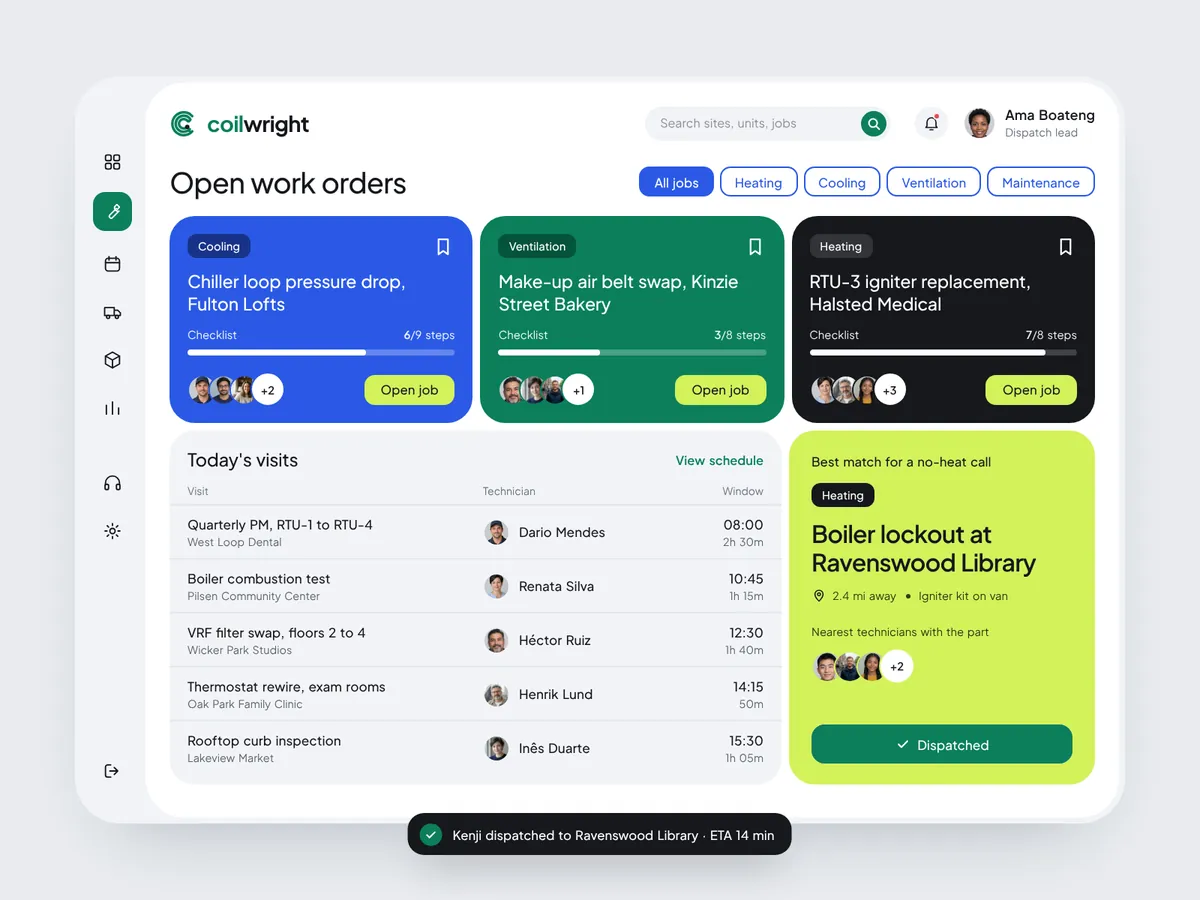
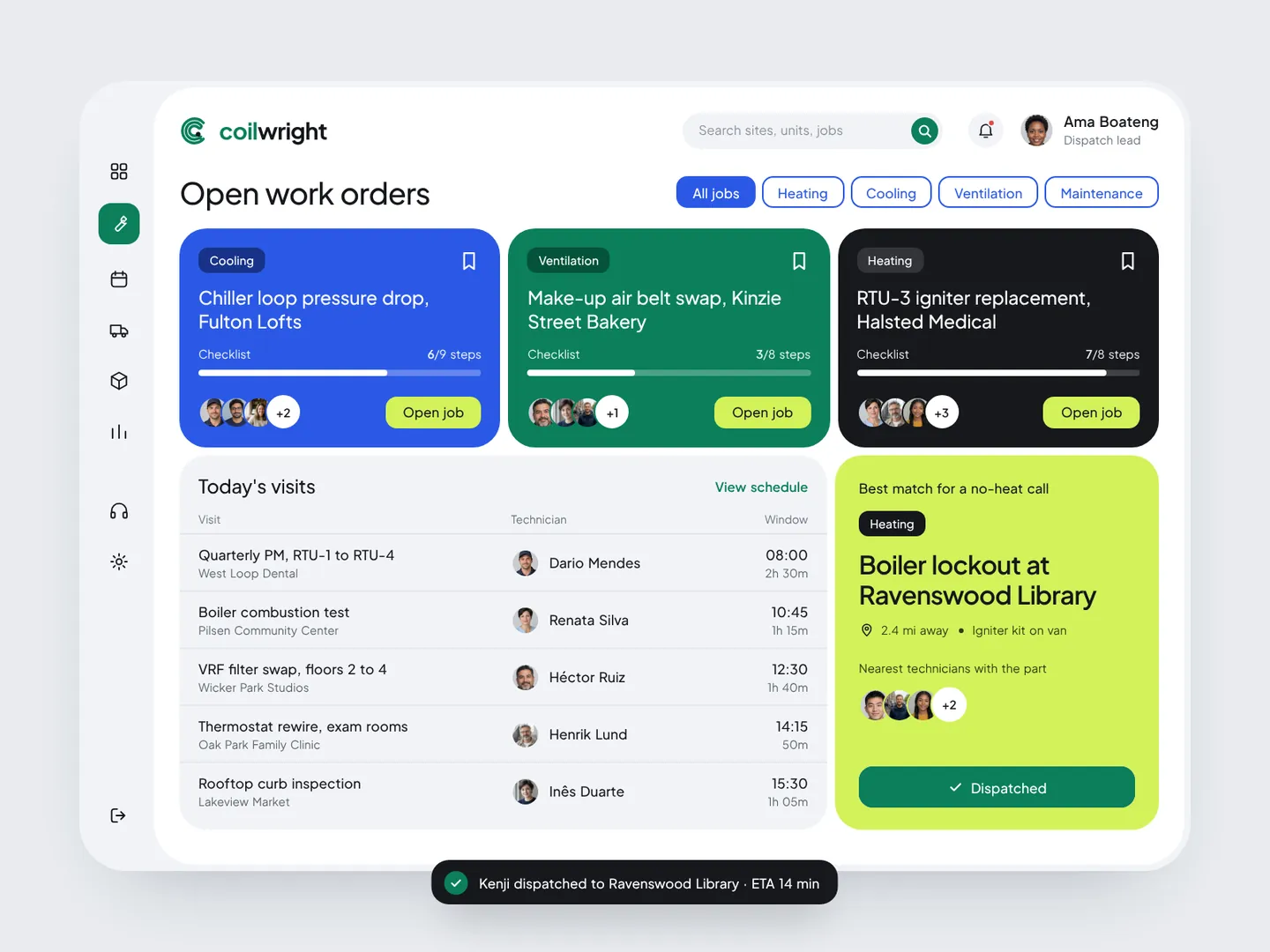
Work orders is the home screen. Three open jobs sit on top as coloured cards, one colour per trade, each with checklist progress, the crew on site and a single action. Below, today's visits read as a quiet table. The lime card on the right is the only place the app makes a suggestion: the best technician for an urgent no-heat call. One click on Dispatch confirms it and a toast keeps the dispatcher on the same screen.
Coilwright — Schedule
02

Schedule

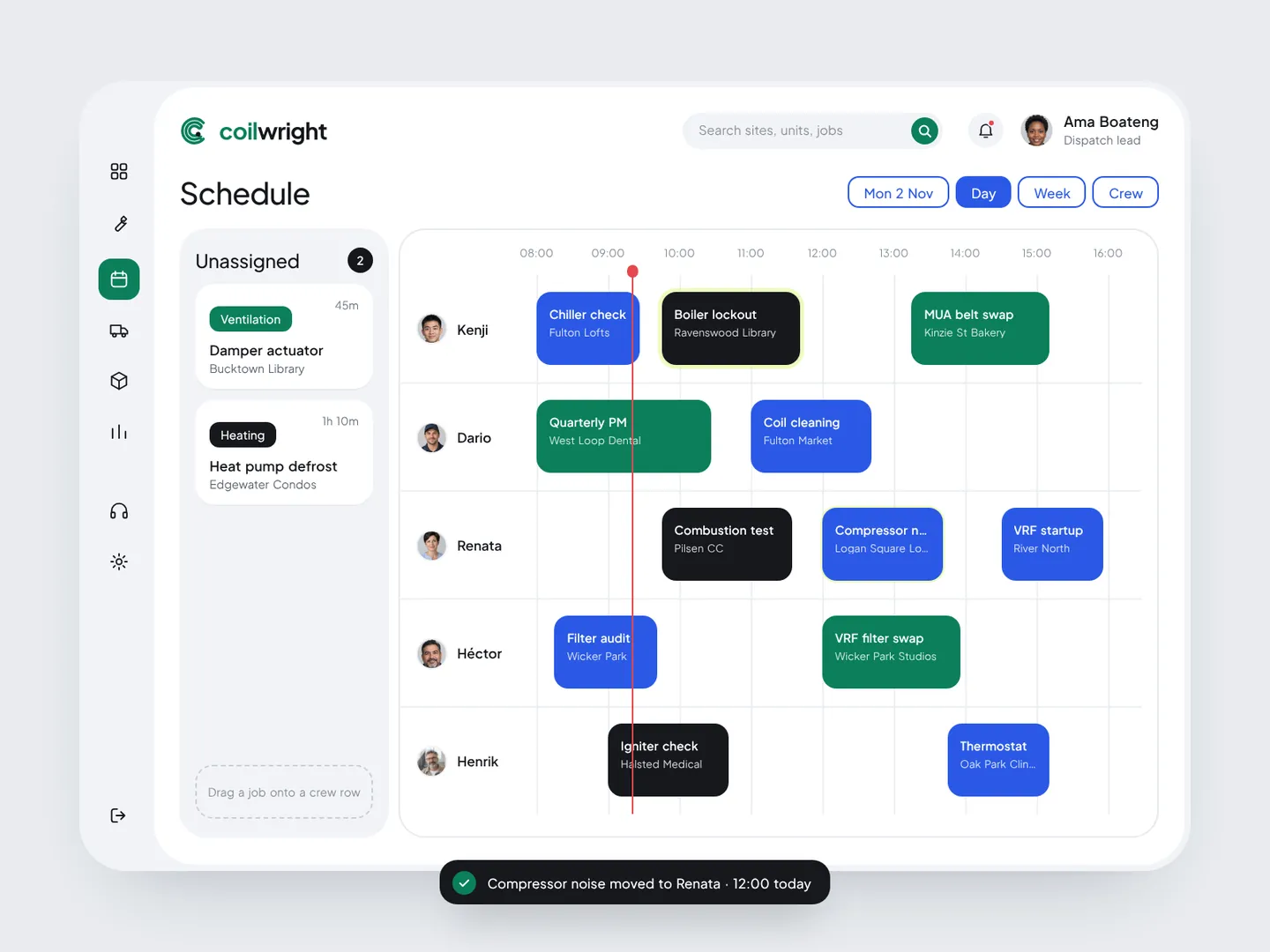
Schedule turns the day into one row per technician. Jobs are blocks sized by their time window, coloured by trade, with a red line for the current time. Unassigned calls wait in a grey column on the left; dragging one onto a crew row shows a dashed slot where it will land, so dispatchers can plan without opening a form.

Coilwright — Fleet live
03

Fleet live

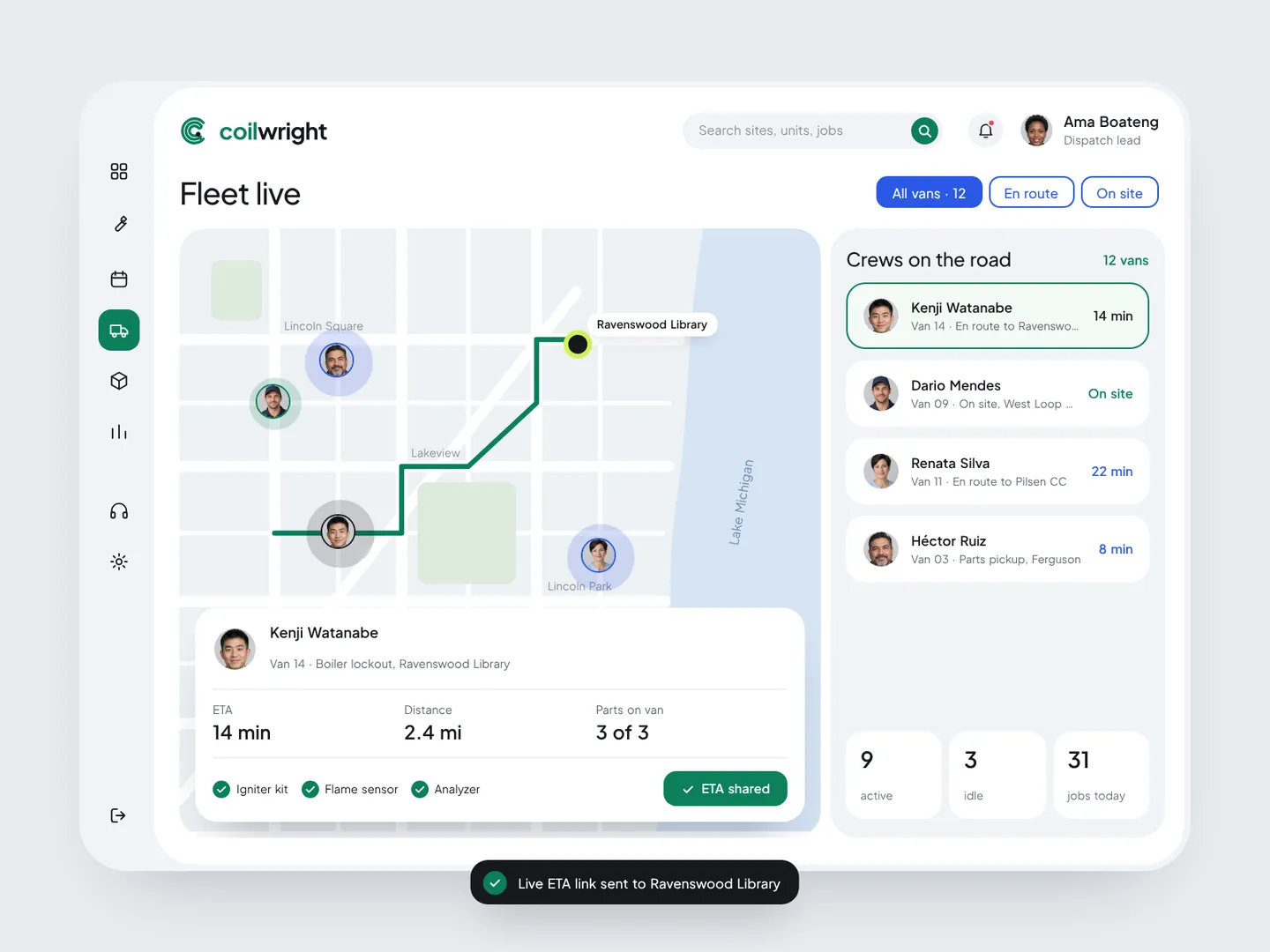
Fleet live answers "where is everyone" without a separate tracking tool. Vans move on a calm, low-contrast map so the route stays the strongest line on screen. Selecting a crew draws its route and opens a card with ETA, distance and the parts on the van, plus a Share ETA button that sends the customer a live link.

Coilwright — Equipment health
04

Equipment health

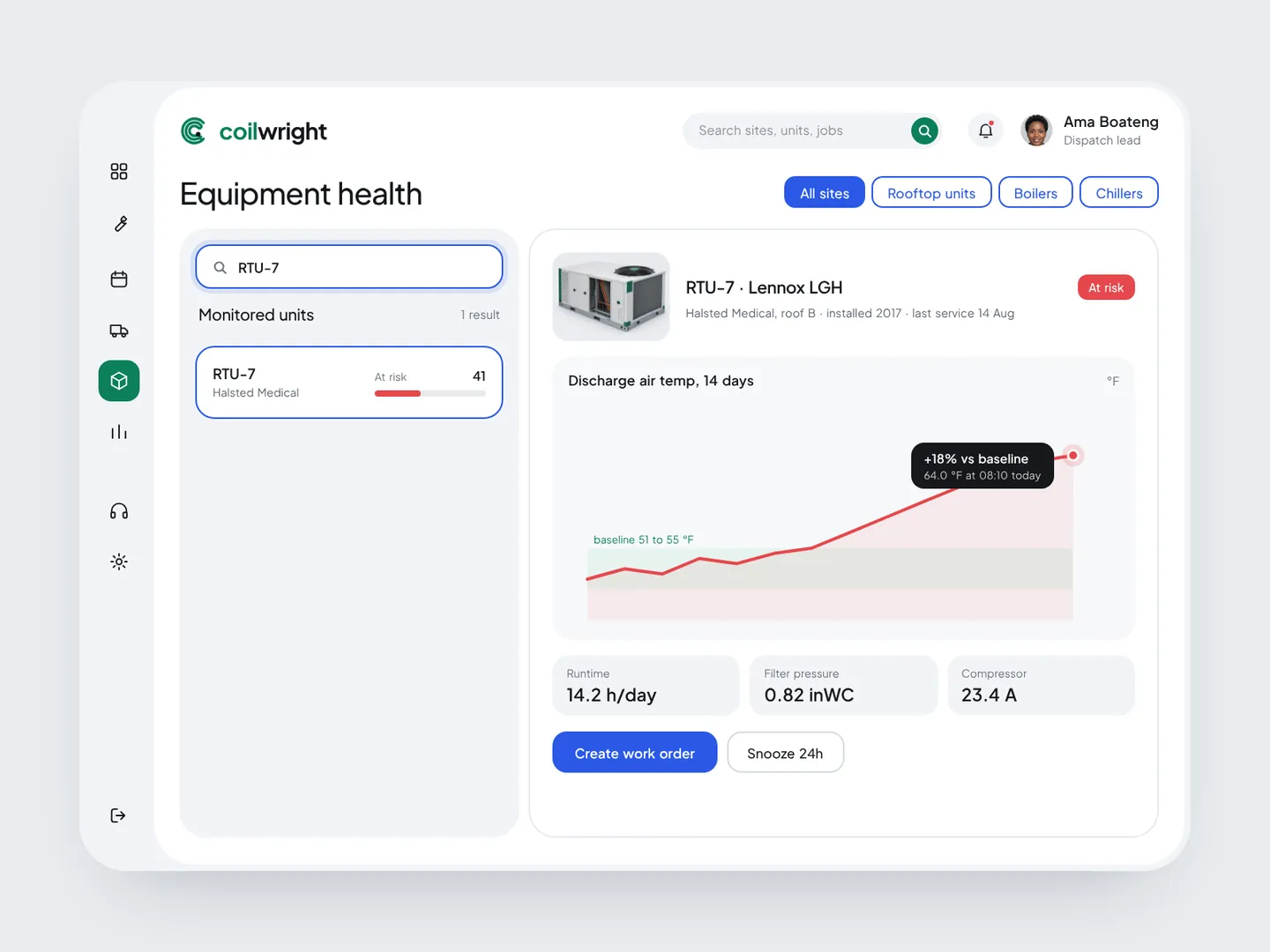
Equipment health compares every rooftop unit, boiler and chiller with its own 30-day baseline. Search narrows 214 units to one as you type. The unit view keeps a single chart: discharge air temperature against a green baseline band, with the reading that crossed it called out. From there, Create work order opens a prefilled form with the issue, technician and window, so a sensor alert becomes a booked visit in two clicks.

Coilwright — Performance
05

Performance

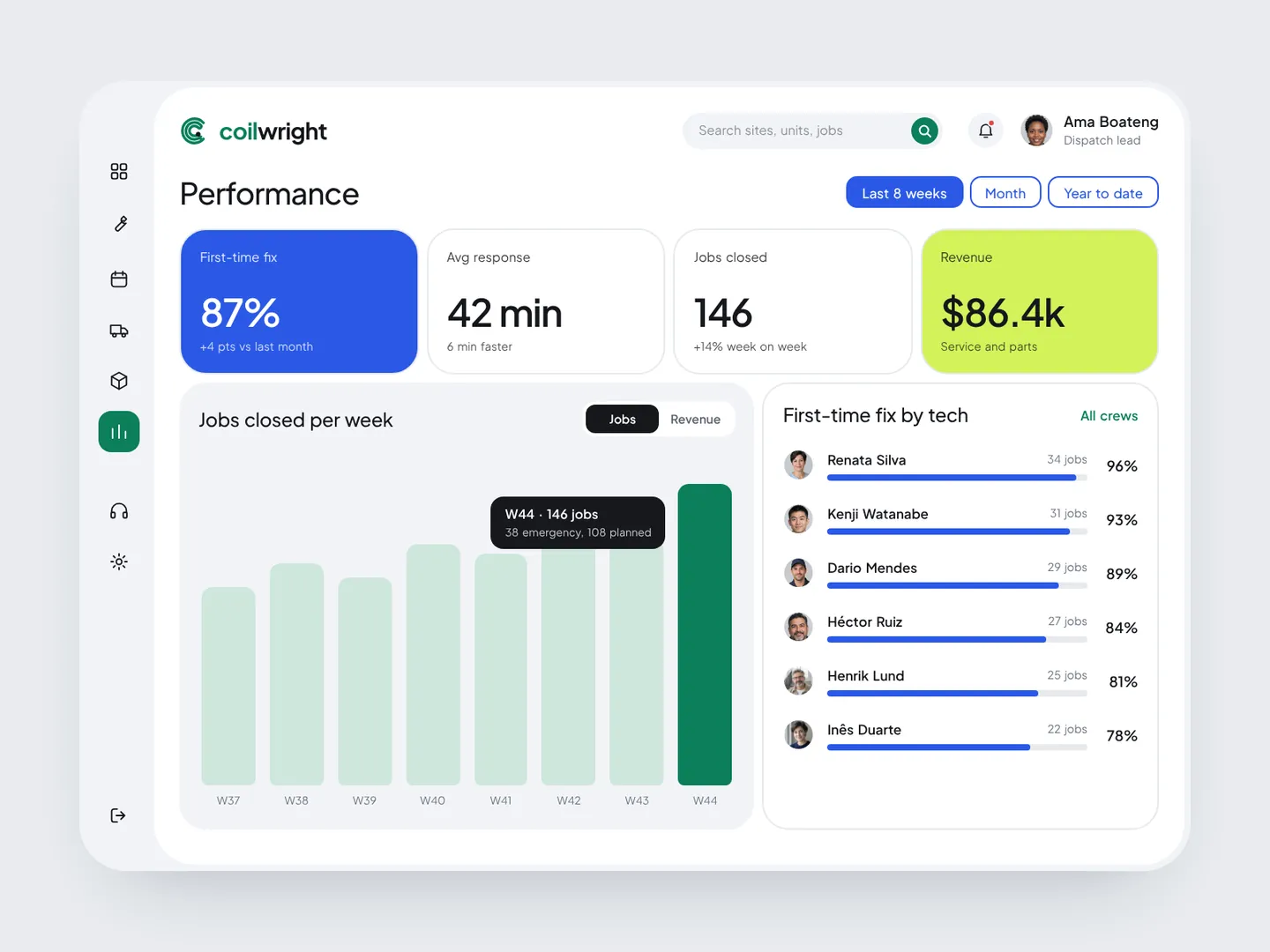
Performance closes the loop for the owner: first-time fix rate, response time, jobs closed and revenue, a weekly chart that switches between jobs and revenue, and first-time fix by technician.

Live demo

Run Coilwright in your browser

Click through the real app yourself, one step at a time, or let it play on its own. Jump straight to any feature.

  • Work orders
  • Schedule
  • Fleet live
  • Equipment health
  • Performance
Open live demoHTML, CSS, vanilla JavaScript · runs fully in your browser
Want results like these for your brand?
Book a free 15-min call
← Back to all work