


Parlow

A procurement web app for mid-size manufacturers: requests, approvals, purchase orders and invoices in one calm workspace.

FigmaHTMLCSSJavaScript
Open live demoConcept project
ClientConcept — fictional brand
CategorySaaS · Procurement
TypeConcept project
Year2026
Live demoorganoostudio.com/demos/parlow

The product in motion

The real app running every feature, start to finish.

The brief

Make buying parts feel simple for buyers, approvers and finance, without five tools and a spreadsheet in between.

The idea

One flow from request to payment, where every screen shows the one number that decides the next step.

What to try

Open the live demo and jump between the five chapters, from a new request to invoice matching.

Every feature

What each screen does, and why it looks the way it does.

Parlow — Overview
01

Overview

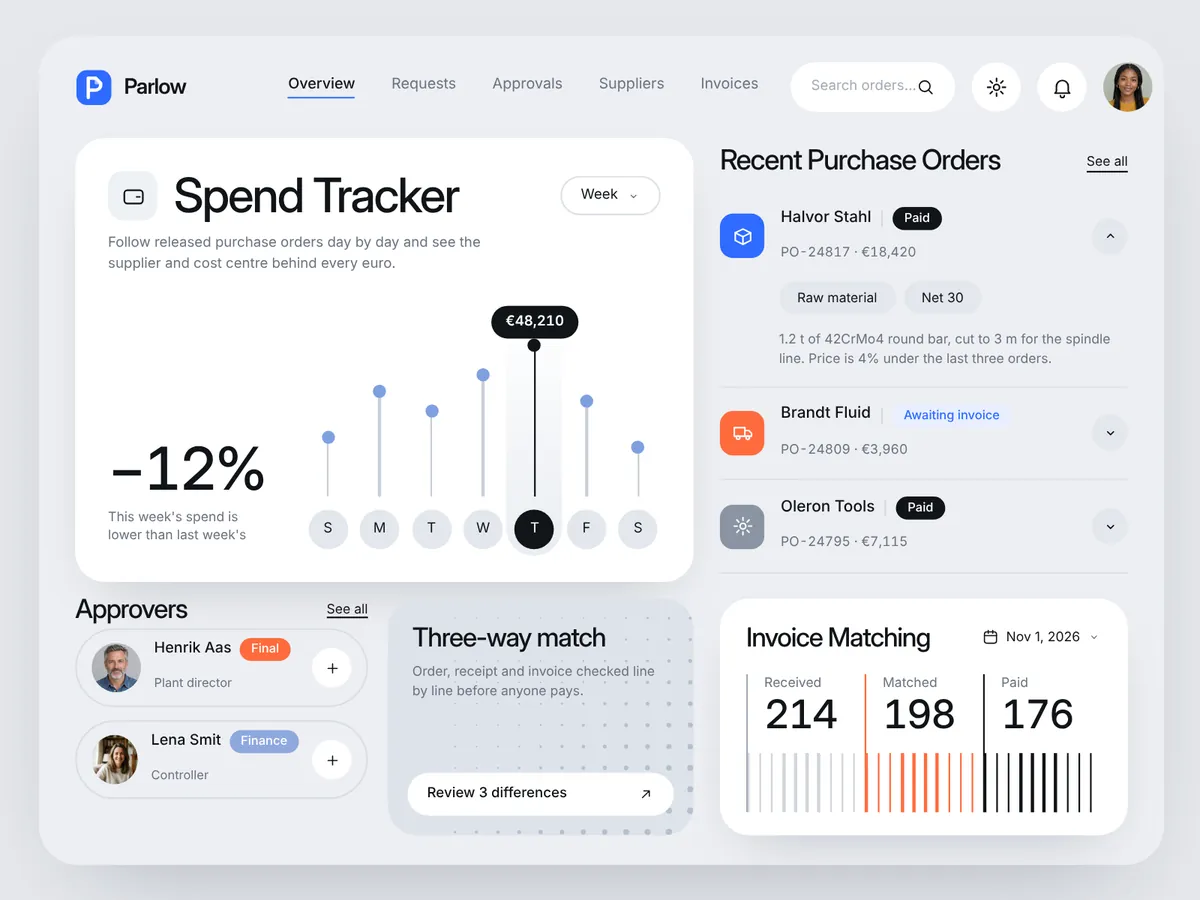
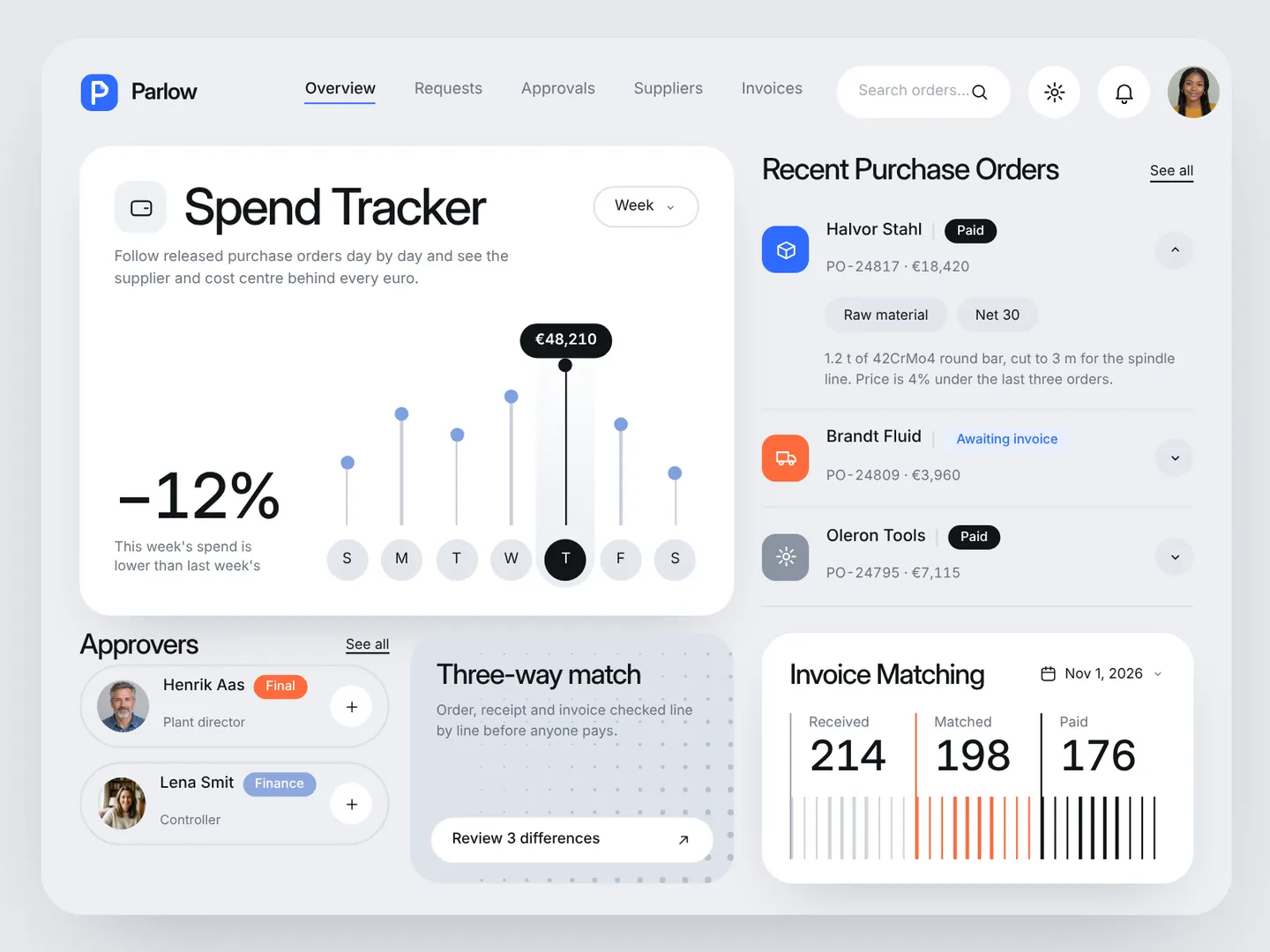
The home screen answers where the money went this week. A large Spend Tracker card shows released orders per day as a lollipop chart, with the busiest day in black and its total in a tooltip. Recent purchase orders open as an accordion on the right.
Parlow — New purchase request
02

New purchase request

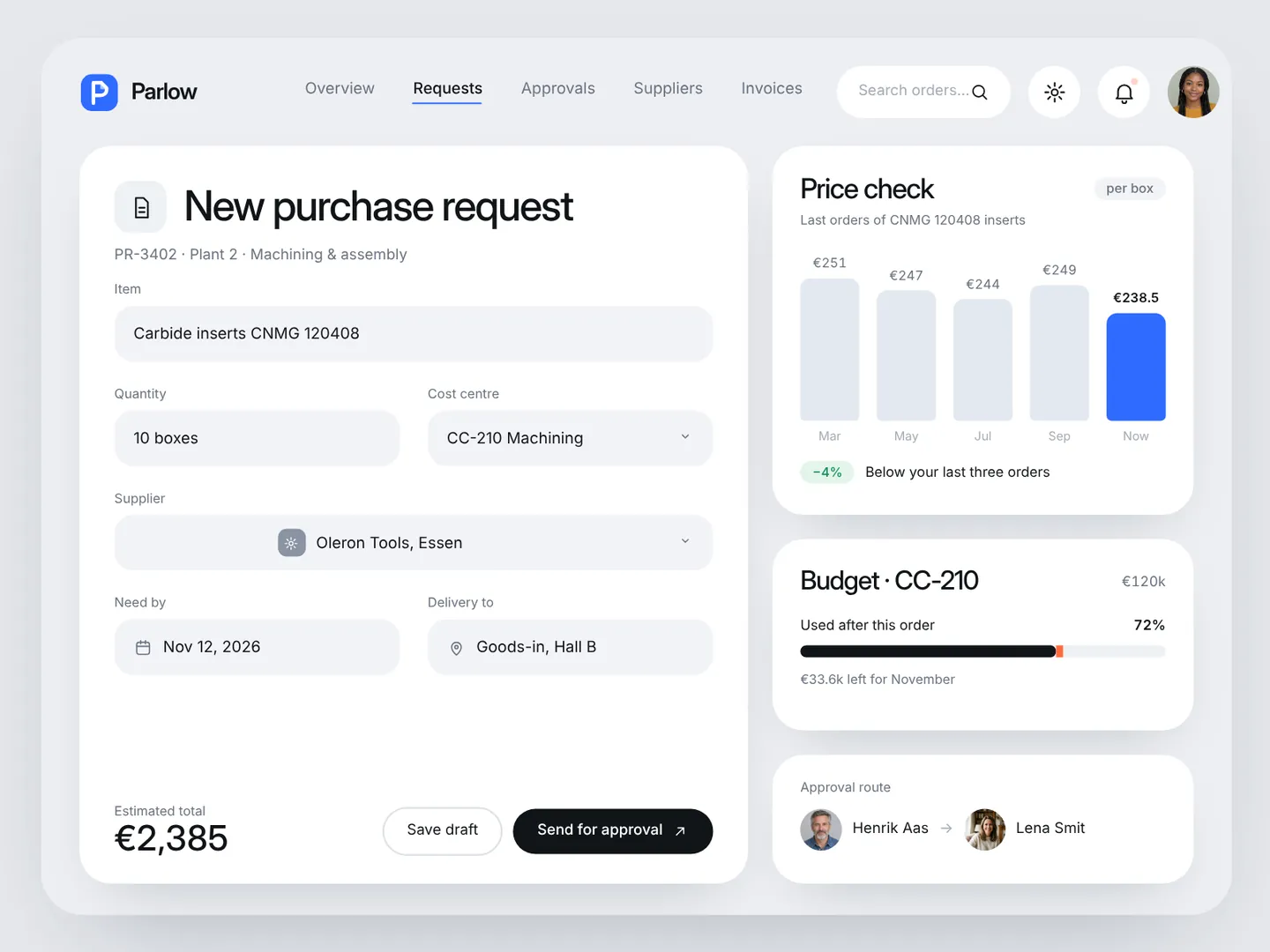
Buyers type the item and quantity, and the supplier picker shows each option with its price, lead time and on-time rate, so the best price is obvious. While the form fills in, Price check compares the quote with past orders and the budget bar shows how much of the cost centre this order will use.

Parlow — Approvals
03

Approvals

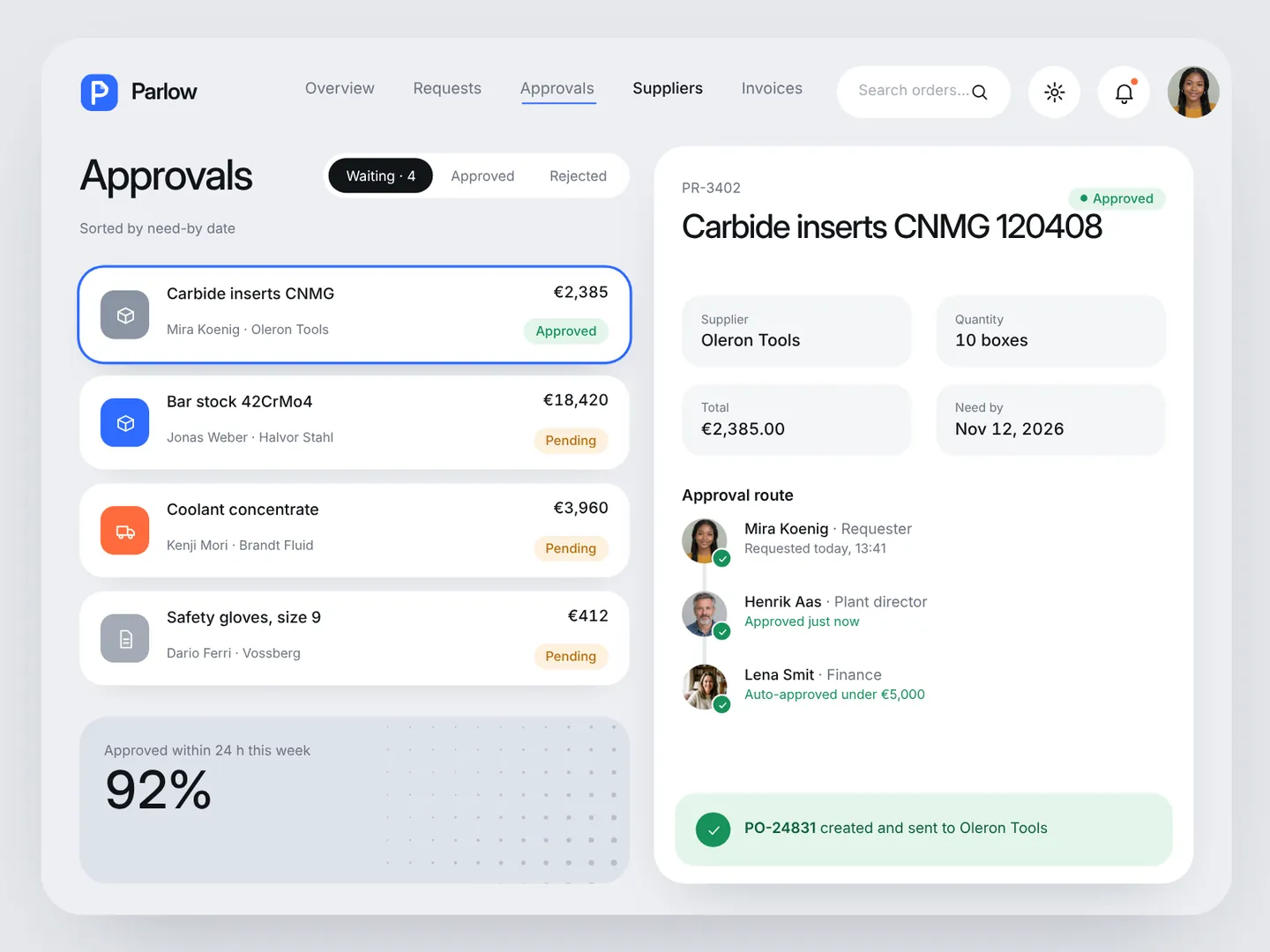
Requests waiting for a decision sit in one list with their amount and status. The detail panel shows the full approval route with avatars. One black pill button approves, the route turns green, and a purchase order is created and sent to the supplier.

Parlow — Suppliers
04

Suppliers

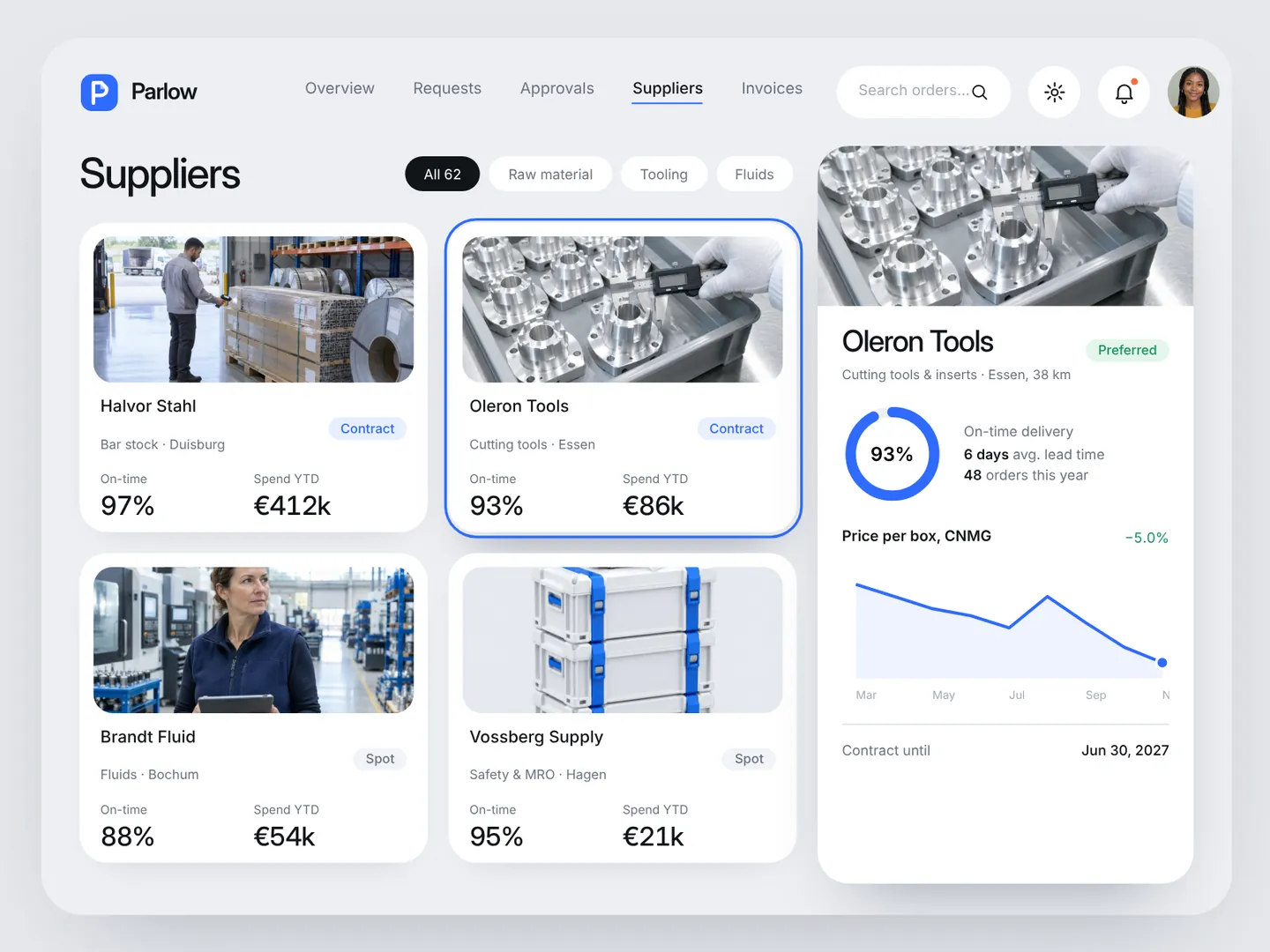
Every partner gets a card with a photo, contract type, on-time rate and spend this year. Opening one slides in a profile with an on-time ring, lead time, order count and the price trend for the parts you buy most.

Parlow — Invoice matching
05

Invoice matching

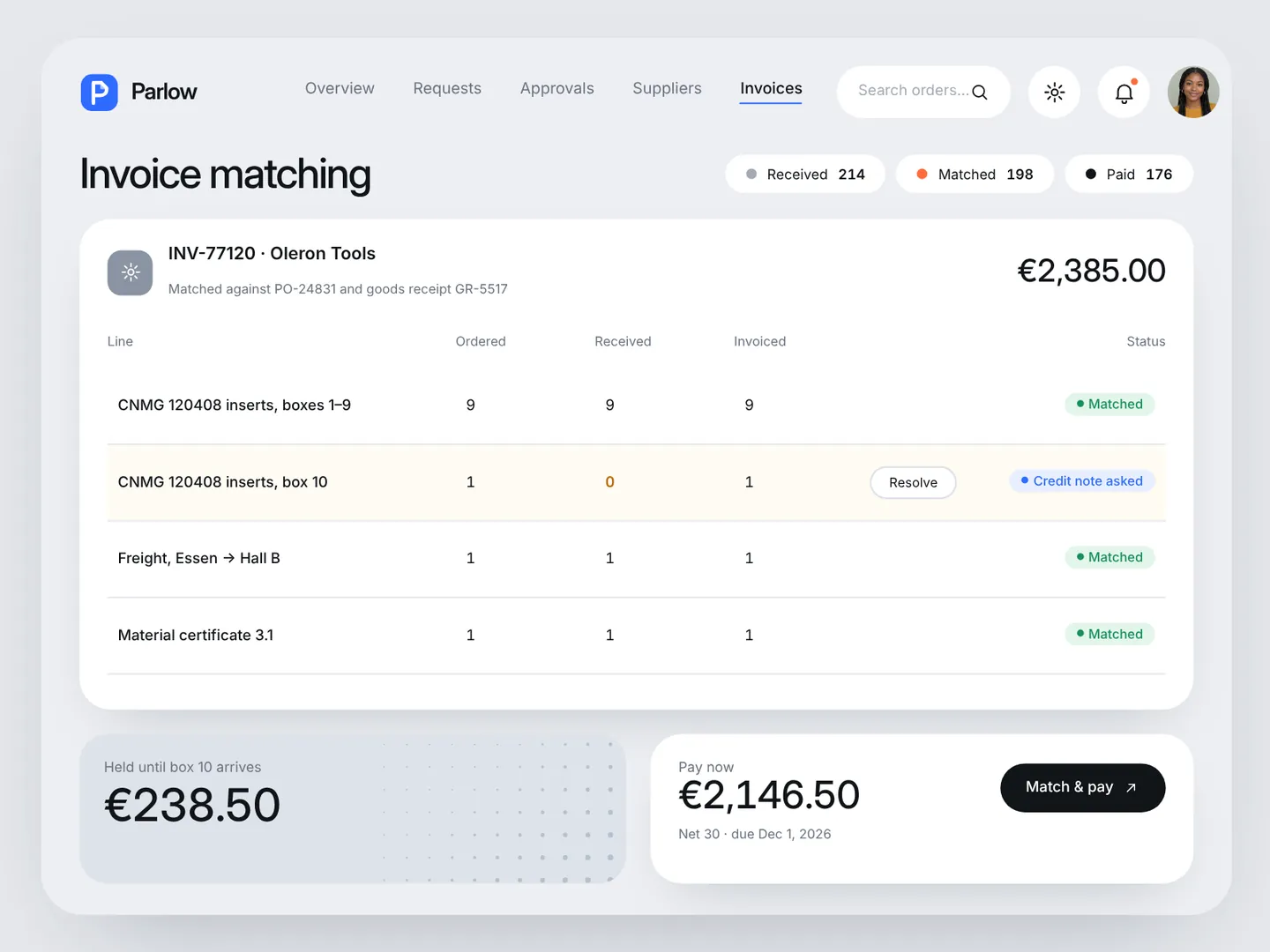
Each invoice is checked line by line against the order and the goods receipt. Matched lines turn green, a missing box is flagged in amber with a one-click request for a credit note, and only the matched amount is scheduled for payment.

Live demo

Run Parlow in your browser

Click through the real app yourself, one step at a time, or let it play on its own. Jump straight to any feature.

  • Overview
  • New purchase request
  • Approvals
  • Suppliers
  • Invoice matching
Open live demoHTML, CSS, vanilla JavaScript · runs fully in your browser
Want results like these for your brand?
Book a free 15-min call
← Back to all work