


Svarby

A support web app for B2B teams that answer email, chat and voice from one place, built as five views for a support lead’s day.

FigmaHTMLCSSJavaScript
Open live demoConcept project
ClientConcept — fictional brand
CategorySaaS · Customer support
TypeConcept project
Year2026
Live demoorganoostudio.com/demos/svarby

The product in motion

The real app running every feature, start to finish.

The brief

Give support leads one place to see how the team is doing, fix the queue and plan the next shift.

The idea

Five calm views, each answering one question, with the next action always one click away.

What to try

Open the live demo and follow a ticket from the inbox to a reply, then fix a gap in the shift plan.

Every feature

What each screen does, and why it looks the way it does.

Svarby — Overview
01

Overview

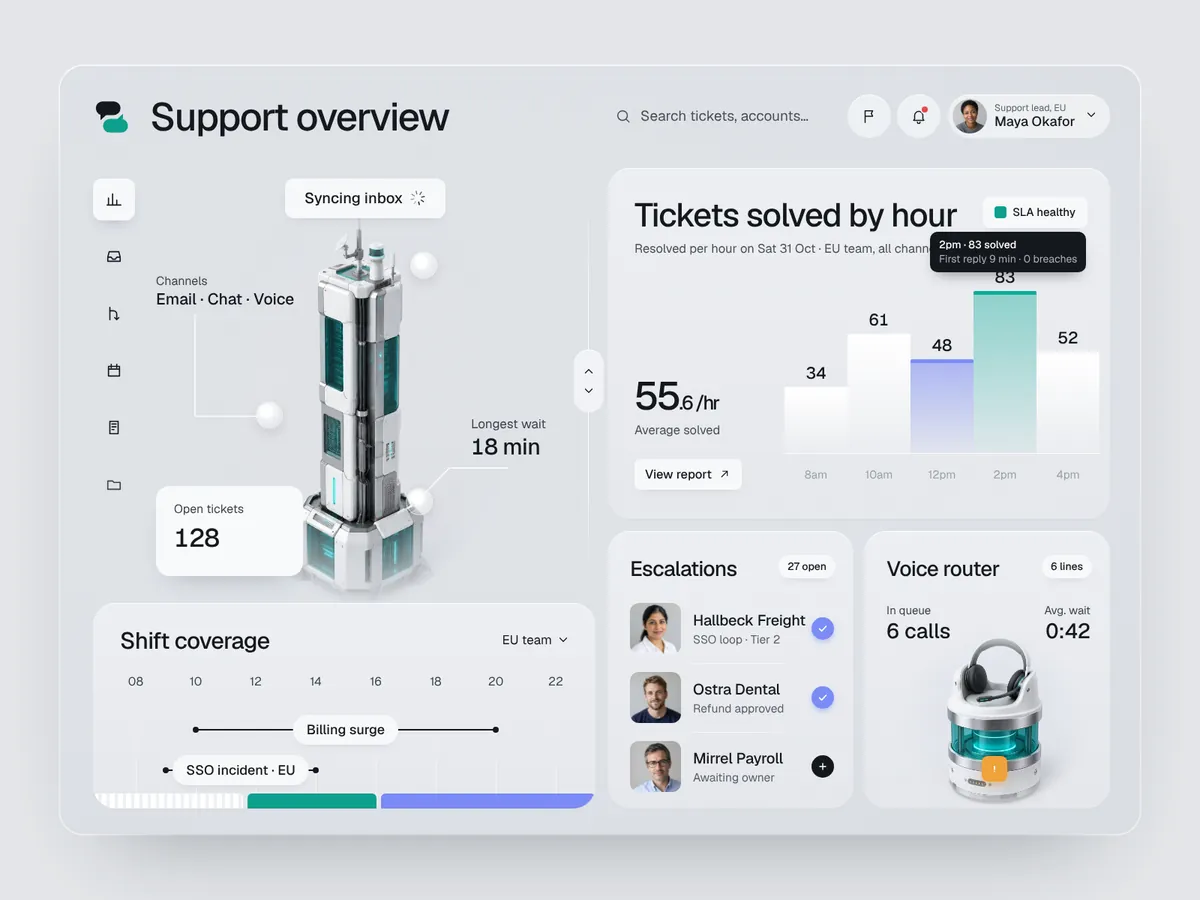
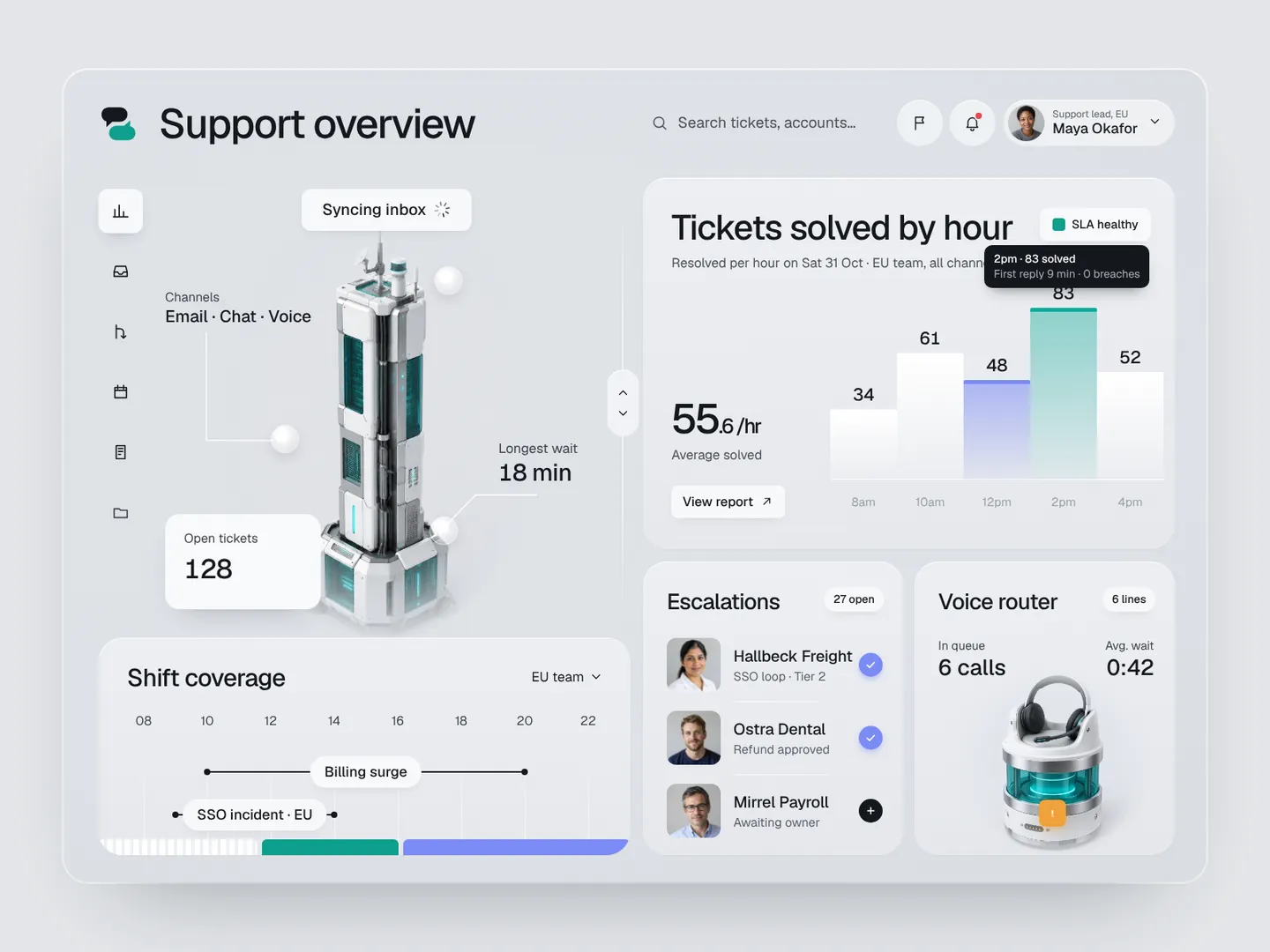
The first screen answers one question: how is the team doing right now? Tickets solved by hour sits large on the right, with teal for the peak hour and periwinkle for the hour that slipped. Hovering a bar shows first reply time and breaches for that hour, while the routing hub on the left keeps open tickets, channels and the longest wait in view.
Svarby — Inbox
02

Inbox

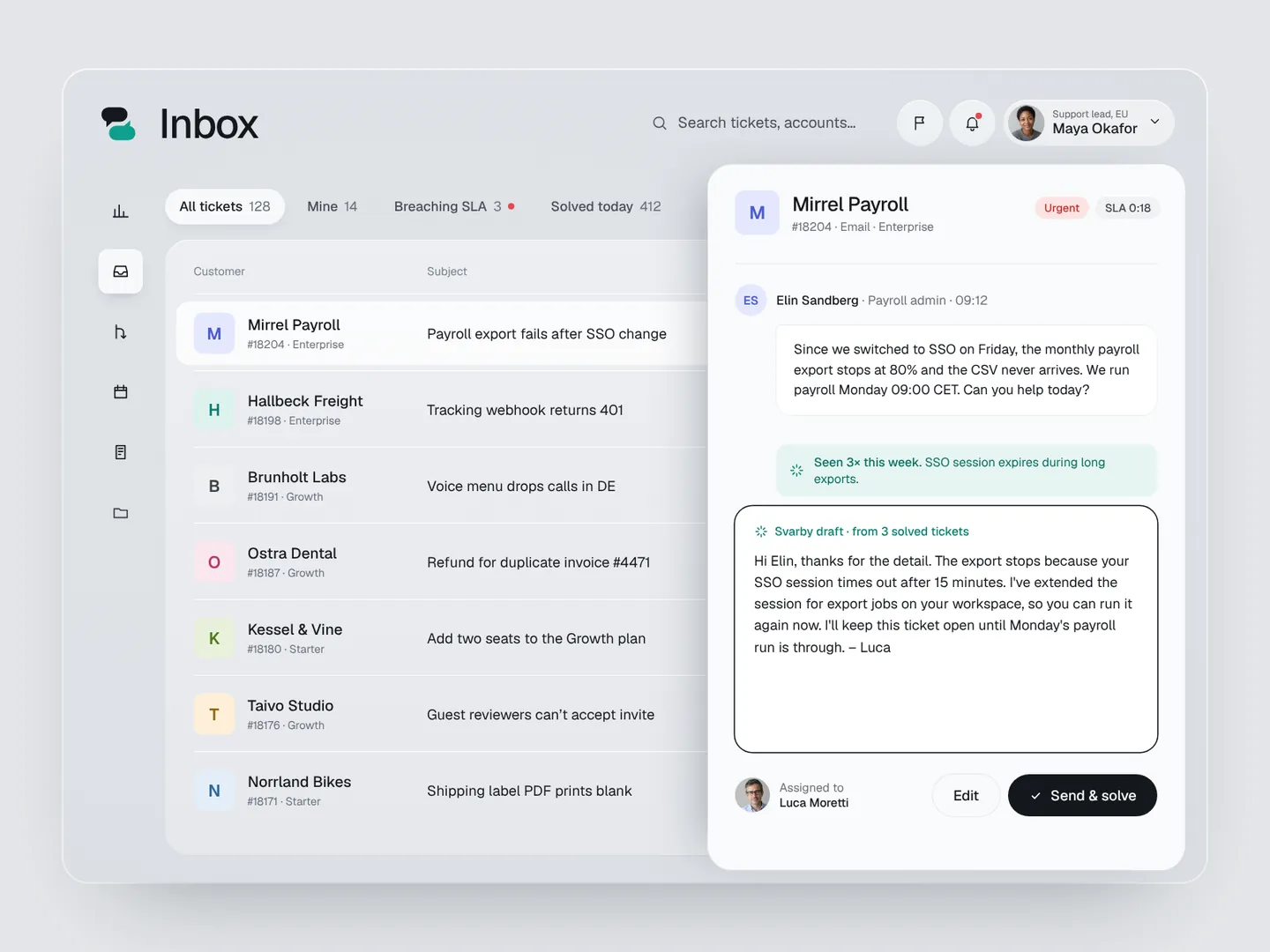
Tickets are sorted by SLA, not by arrival, so the most urgent row is always on top. Opening a ticket slides in a side panel instead of a new page, keeping the queue in sight. Svarby drafts a reply from similar solved tickets, the agent reads it, and one click sends and solves. The status pill and a short toast confirm it.

Svarby — Routing rules
03

Routing rules

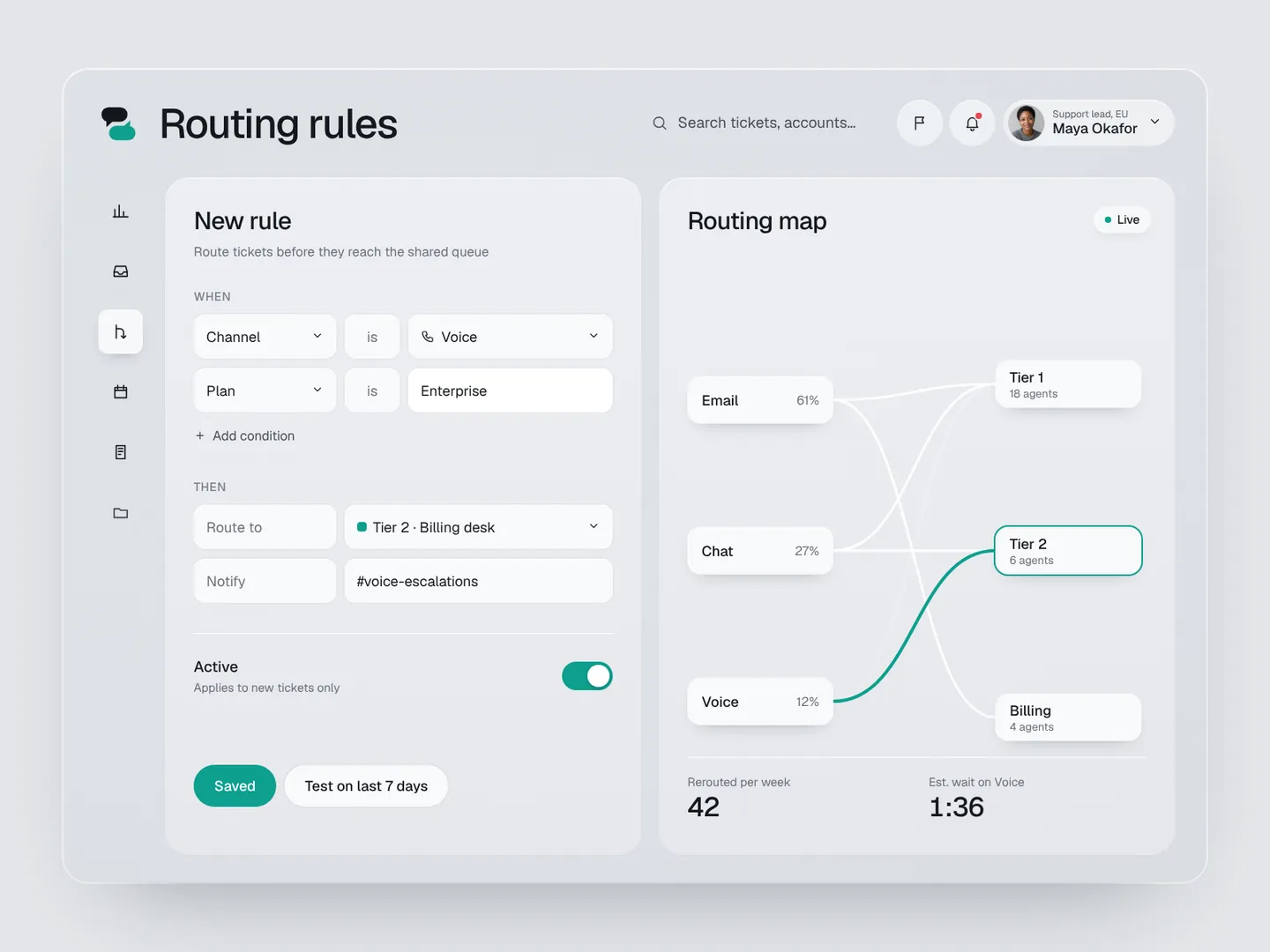
A rule reads like a sentence: when channel is Voice and plan is Enterprise, route to Tier 2. Typing suggests real values with account counts, so nobody guesses a plan name. The routing map redraws the moment the rule is saved and shows the effect in numbers: 42 tickets a week rerouted, voice wait down from 4:10 to 1:35.

Svarby — Shift planner
04

Shift planner

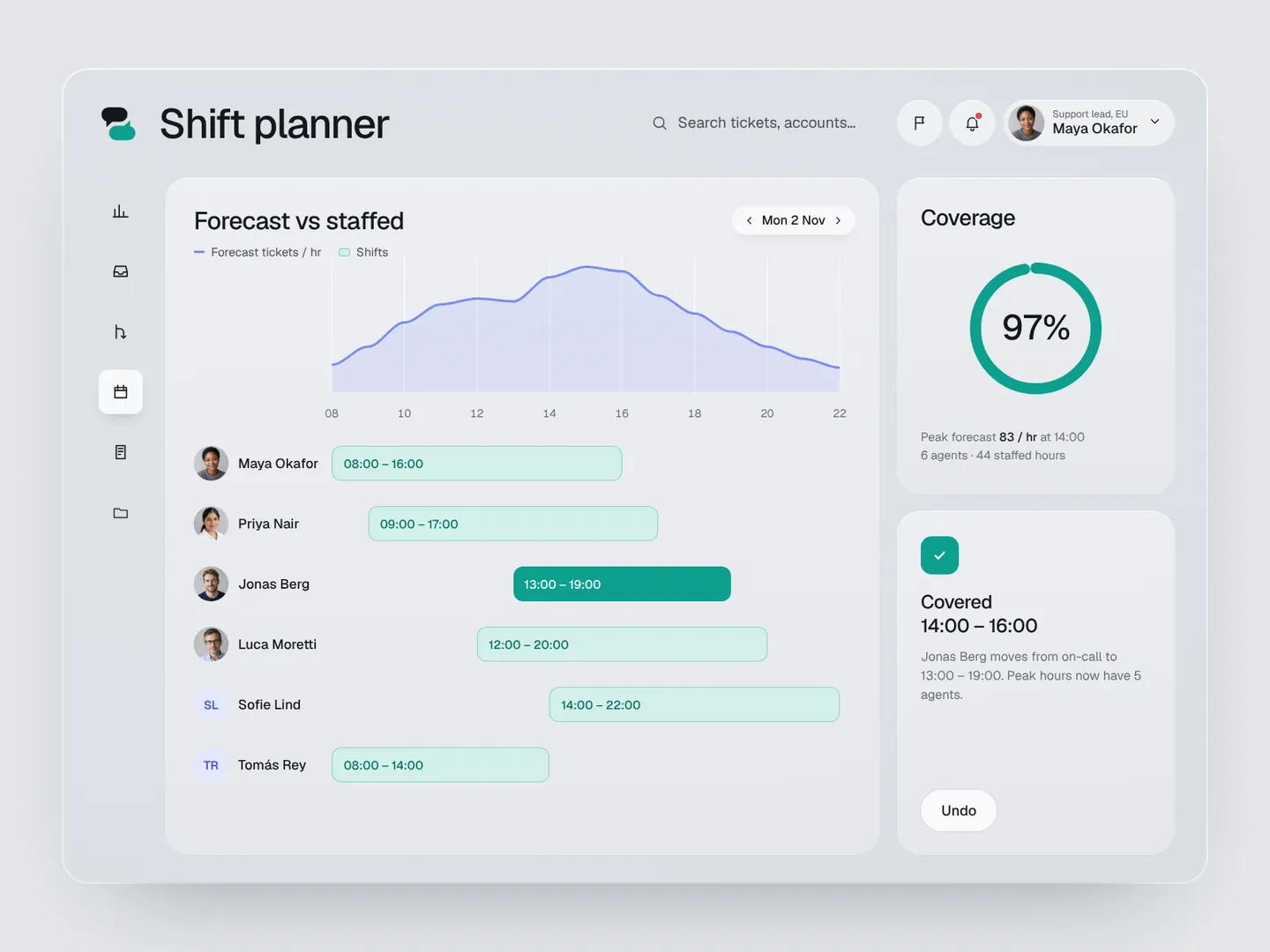
Forecast volume and staffed shifts share one timeline, so gaps are visible without reading a table. The 14:00 to 16:00 gap is hatched in amber and paired with a suggested fix. Fill gap moves Jonas from on-call to a 13:00 shift, the hatch clears and coverage climbs from 86% to 97%.

Svarby — Reports
05

Reports

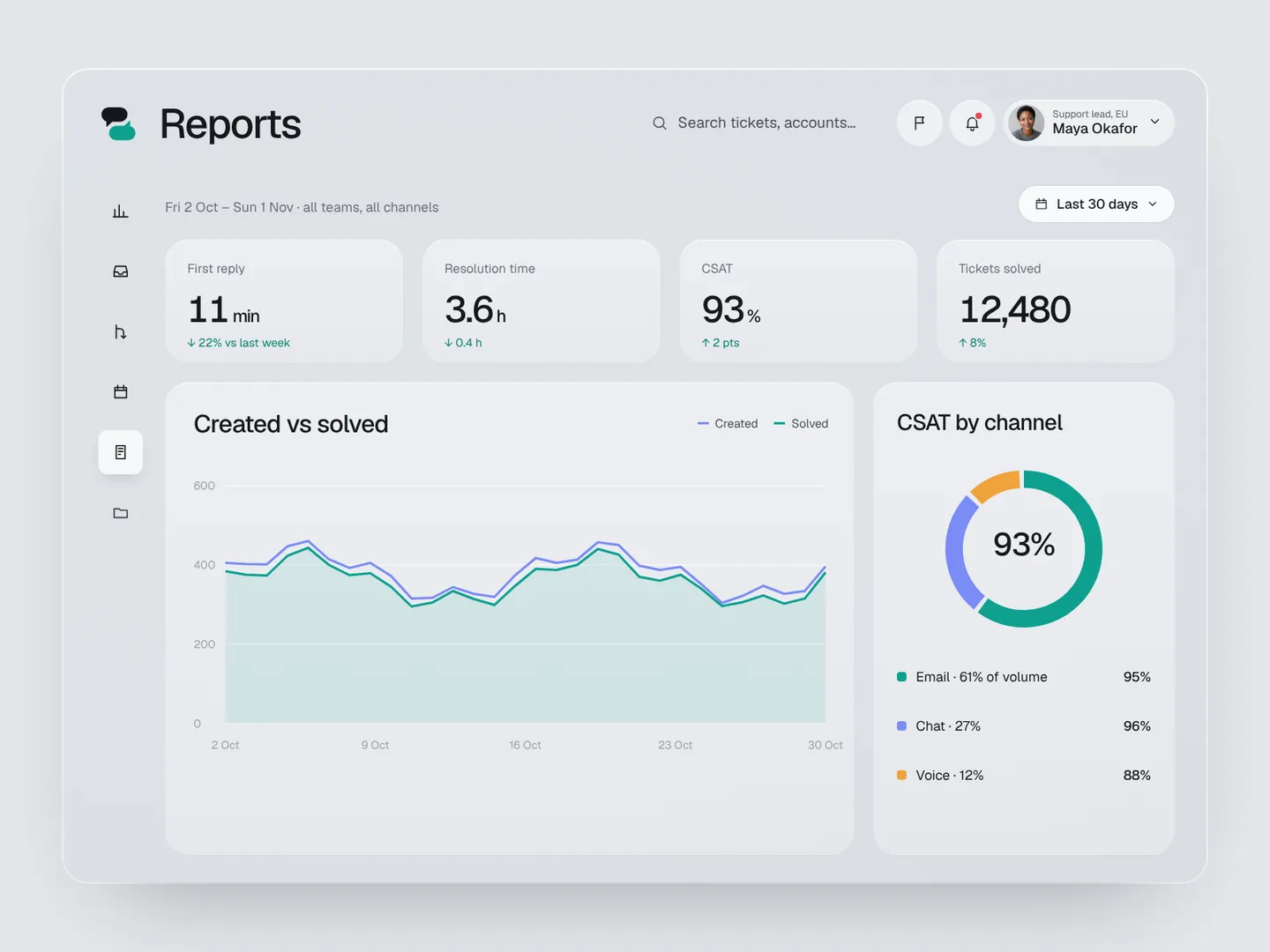
Four KPI cards lead, followed by created vs solved and CSAT by channel. Switching from 7 to 30 days morphs the chart in place instead of reloading, so the change in trend is easy to follow.

Live demo

Run Svarby in your browser

Click through the real app yourself, one step at a time, or let it play on its own. Jump straight to any feature.

  • Overview
  • Inbox
  • Routing rules
  • Shift planner
  • Reports
Open live demoHTML, CSS, vanilla JavaScript · runs fully in your browser
Want results like these for your brand?
Book a free 15-min call
← Back to all work